

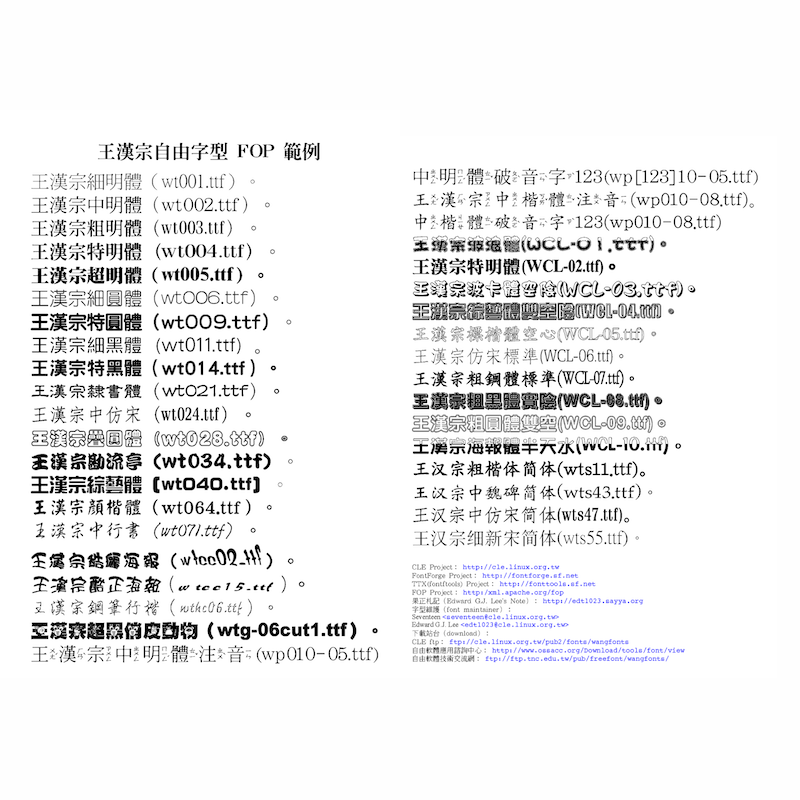
H.T. Wang Free Fonts Collection

★ Especially useful for Chinese learners who want to compare fonts using words and characters they are actually studying. Google Fonts is a free collection of open-source fonts that makes it easy to browse Chinese typefaces, enter your own Chinese text, and compare how the same characters look in different styles before downloading a font. New to Google Fonts? See our step-by-step guide to finding, comparing, and downloading Chinese fonts.
Free
★ Especially useful for learners who want to get comfortable recognizing familiar Chinese characters in different typefaces, including handwriting-like Kai styles. Pleco is a free Chinese dictionary and learning app with optional paid add-ons. On Android, you can install your own compatible TrueType Chinese fonts and use them throughout Pleco, giving you regular exposure to different character shapes while looking up words and reading definitions. On iOS, you cannot install your own font files in Pleco; instead, you can choose from its built-in fonts or purchase alternate Kai, Song and Xing-style fonts. Available on Android and iOS
Free / Paid